
Settings
Shipping country
Languages
- Products description
- Downloads
Products description
PANTONE Color Bridge Coated & Uncoated – Edition 2026
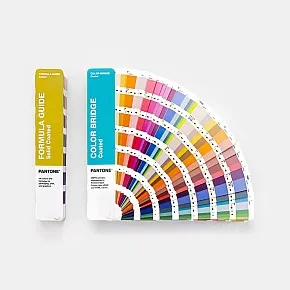
PANTONE Graphics + Print Color Bridge fan deck set featuring 2.587 PANTONE spot colors and 224 new colors
Color comparison and conversion from PANTONE to CMYK, RGB, and HTML
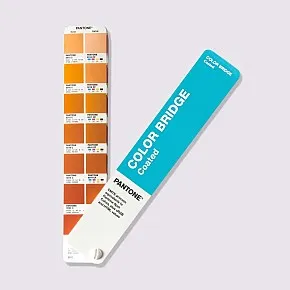
The PANTONE Color Bridge Set (Coated & Uncoated) is a valuable tool for designers, graphic artists, agencies, and print shops looking to evaluate PANTONE spot colors and convert them for four-color printing (CMYK).The Color Bridge displays the original PANTONE spot color alongside its corresponding CMYK conversion. This allows for a visual assessment of how accurately a spot color can be reproduced using process colors in four-color printing.
For digital color applications, the Coated and Uncoated guides also include RGB and HTML/Hex values. This enables PANTONE colors to be defined for use in layout software, digital media, and websites.
The September 2026 edition features a total of 2,587 PANTONE spot colors and their CMYK representations. The 224 new trend colors are designated by color numbers 6225 through 6448.
The PANTONE Color Bridge c&u includes:
- 2.587 PANTONE Solid Colors (spot colors) and their representation in CMYK process colors
- Indication of the specific halftone percentage values for CMYK conversion
- Display of the four process colors—Cyan, Magenta, Yellow, and Black—in 100%, 75%, 50%, and 25% tints
- Direct visual comparison: PANTONE spot color and corresponding 4-color reproduction shown side-by-side
- RGB and HTML/Hex values for digital use in layout software and web design
- Fan deck format: approx. 235 × 42 mm each
- Color swatches: approx. 20 × 20 mm, full-bleed, with 14 swatches per page
- Chromatic color arrangement by hue, sorted from light to dark
- Integrated Lighting Indicator to verify lighting conditions for color evaluation under D50 standard light (5,000 Kelvin)
- Printed on standard coated and uncoated paper stocks to match common printing conditions
- Color index for quick location of individual hues
- Color arrangement follows the sequence of the PANTONE Formula Guide
- ColorManager software for creating digital color palettes for popular graphic design applications such as Adobe Photoshop, Adobe InDesign, and CorelDRAW
- Digital access to RGB, CMYK, and other color data via ColorManager
- Introductory section with technical notes and product information in English
- New and expanded edition, September 2026
The Color Bridge contains fewer colors than the PANTONE Formula Guide because the base colors found in the introductory section are not converted into process colors.
The Color Bridge is specifically designed to visualize the relationship between PANTONE spot colors and their potential reproduction in CMYK printing. It is therefore particularly well-suited for evaluating colors in offset and digital printing.
The PANTONE Color Bridge makes the difference between spot colors and process colors immediately apparent. By directly comparing the original PANTONE color with its CMYK reproduction, one can quickly assess how well a spot color can be replicated in four-color printing.
This makes the Color Bridge a practical tool for prepress, design, and production coordination. It is especially helpful when deciding whether a color should be printed as a PANTONE spot color or reproduced using CMYK four-color printing.
The Color Bridge also serves as a valuable reference when working with PANTONE colors in graphic design software. However, for the reverse process—selecting a suitable PANTONE color based on an existing CMYK value—visual verification using an appropriate CMYK color chart is recommended.
Important: A purely mathematical conversion between different color systems does not necessarily result in visually identical color reproduction. Therefore, for the most reliable color matching, a visual comparison using a printed color fan deck under appropriate lighting conditions is essential.
File
Pantone Color Bridge color list 2026
387.7 KB
Pantone Color Bridge c&u color list from September 2026 edition.
Last viewed:
New
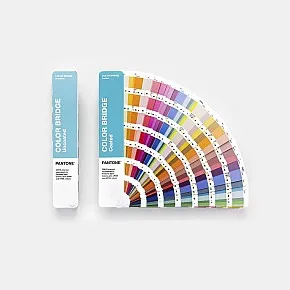
Pantone Color Bridge coated and uncoated 2587 Pantone colors with conversion in cmyk - edition 2026.
Shipping time:
in stock
410,00 €
19 % VAT plus.
487,90 €
19 % VAT incl.